How to edit products pushed from Fiidom AI Dropship?
All pushed products appear in Fiidom’s Product Center, where you can review and edit them on Shopify as follows:
- Login to Fiidom > Product Center.
- Navigate to your wanted product in the Product Card > Click three-dot icon > Edit on Shopify admin.
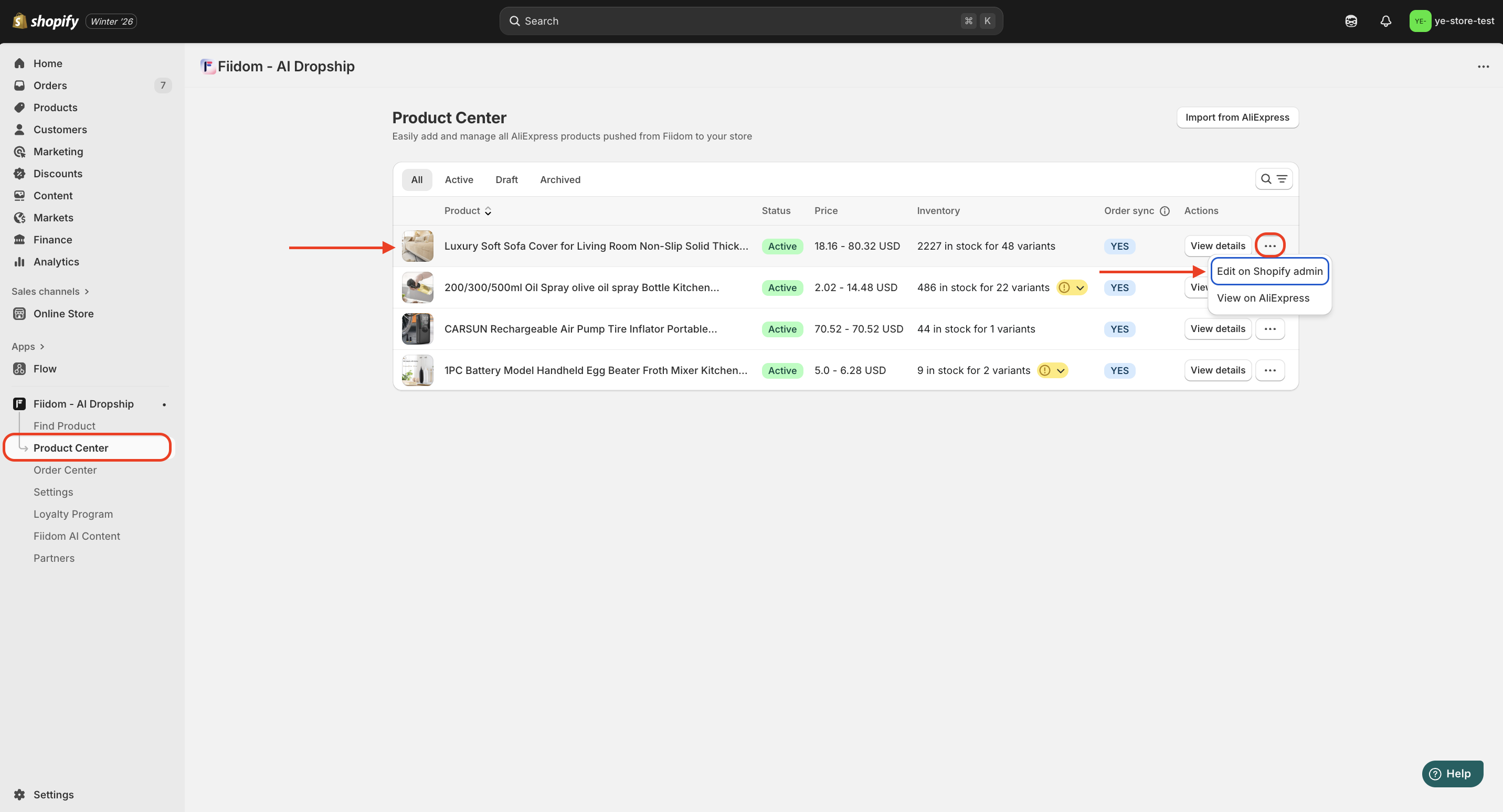
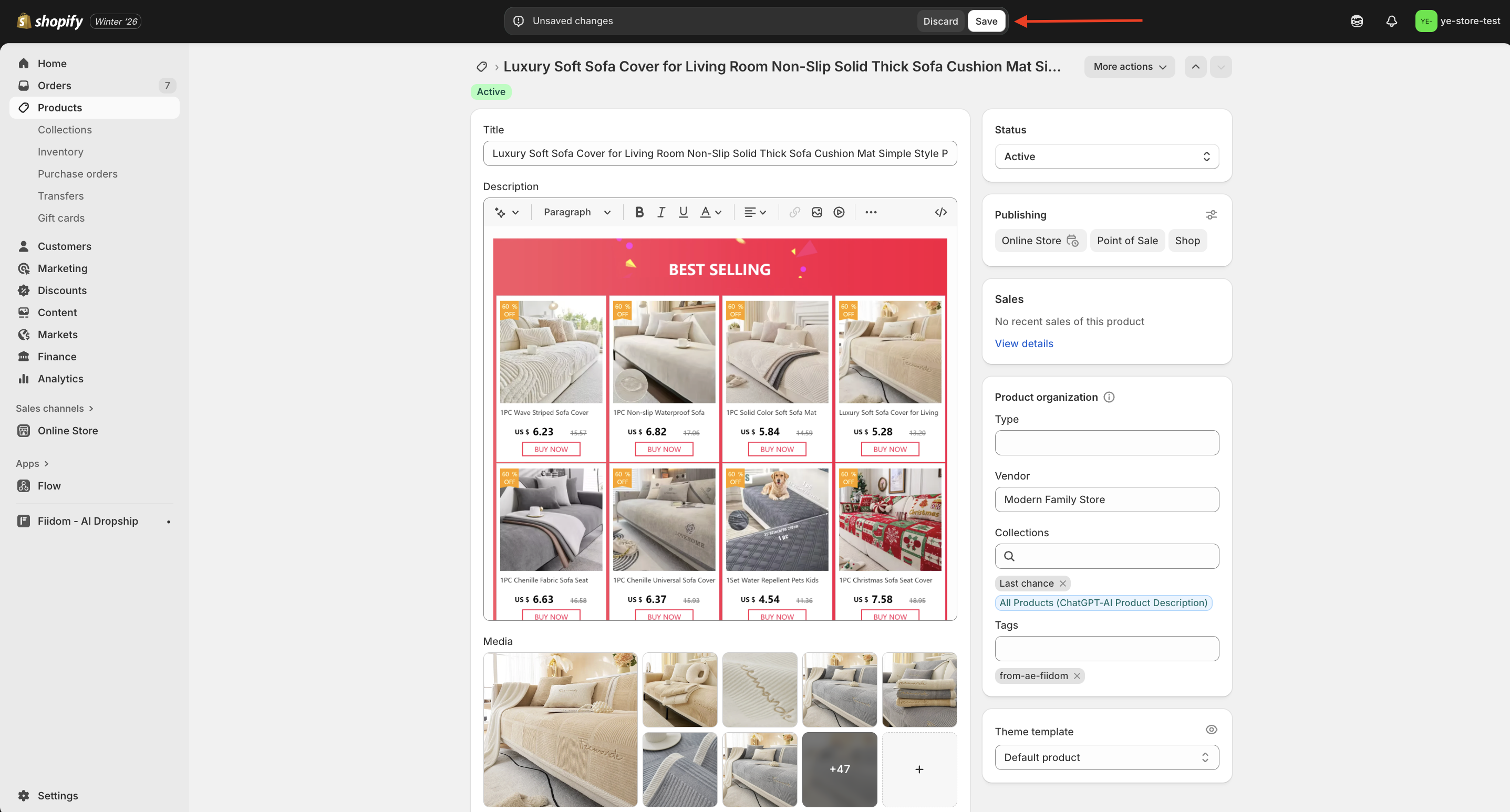
You’ll be redirected to the Shopify product detail page for editing.
- Adjust the product info to your preference > Click Save to apply your changes.
Should you need any further information, please do not hesitate to contact us directly at [email protected]